Jev category definition check

Check whether two category definitions overlap

Supply two definitions for the same item and time. Compare overlap, containment, equivalence and disjoint rules before relying on one winning classification.

Inspect the relationship between two definitions.Live API
Try an example

Original synthetic input. Edit the task or evidence to make a new API request.

Source: Workflow inspiration on X

Source and example scope

The inputs, rubric and preview are original. This window demonstrates the stated decision only; it does not reproduce the source application or its measurements.

Compare category definitions over the same item and time.

Decision rules and labels
OverlapFirst narrowerSecond narrowerEquivalentDisjointNeed definitions
A real response from the Jev API

Edit any input to explore a different decision. No request is sent until you run it.

Your next decision

Not run yet

Choose an example or write your own input, then run it to see the ranked choices.

Results are not stored by this site. Your submitted text is processed by the API provider.

The decision

How does Jev category definition check use the supplied evidence?

Jev category definition check compares two membership rules before a reviewer relies on a single winning label.

A category name does not say who belongs in it. Definitions can cover the same record along different axes, contain one another or describe exactly the same members. This window compares two supplied rules and returns a fixed suggestion for rubric review. Both category identities and the dictionary revision stay with the result.

All six recorded answers matched the authored expectations; they test these fictional rules rather than accuracy on an unseen taxonomy.

The API-collected X post describes a knowledge-vault classification experiment and identifies category definitions as an important missing input. We have not reproduced its dataset, accuracy or option-order results. Our six original pairs inspect the definition relationship itself. They do not assign notes to the author's categories or establish that a revised taxonomy improves classification accuracy.

Overlapping categories can make a single winning label misleading. A software bug may also be urgent: issue type and response timing describe different properties. A reviewer can consider multiple labels, separate the axes or refine a boundary. Google's machine-learning problem-framing guidance treats the classification target as part of defining the task.

This window examines the supplied definitions; it neither rewrites a dictionary nor assigns labels to existing records.
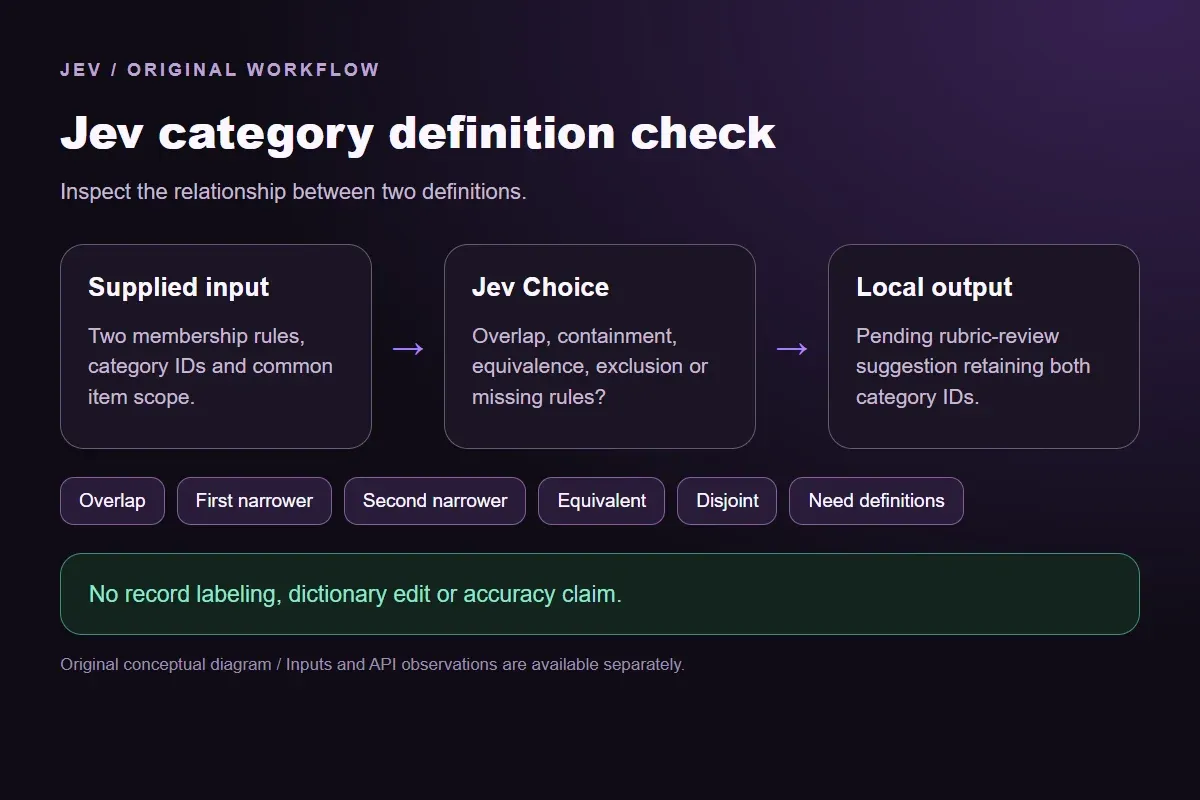

Original Jev category definition check workflow diagram showing supplied evidence, a typed decision and the local preview.
Original workflow illustration. The output is a local preview, not an executed action or source screenshot.
How it works

Try the example in four steps

Use the sample to understand the rule, then test your own input for category rule relationships.

  1. Illustration of adding the text or evidence for a decision

    Add the information to check

    Supply two definitions for the same item and time.

  2. Illustration of defining a question and its allowed choices

    Confirm the question and labels

    Open the decision rules and keep the intended distinction between Overlap, First narrower, Second narrower, Equivalent, Disjoint. Edit the choices only when testing your own rule.

  3. Illustration of sending one input and comparing the returned choices

    Run the decision

    Use a sample first, then try your own input. Compare the selected label with the other returned probabilities.

  4. Illustration of reviewing a result and an uncertain item before using it

    Review the next step

    Review Need definitions before using a result. The label is a decision about the supplied information, not an executed action.

Our API test

What the six original inputs returned.

What the six original inputs returned.
Original test inputFixture expectationObserved labelLeading probability
Compare urgency with issue typeOverlapOverlap100%
Inspect the narrower first categoryFirst narrowerFirst narrower100%
Keep the containment directionSecond narrowerSecond narrower95%
Read two names with the same definitionEquivalentEquivalent100%
Keep one item's current status fixedDisjointDisjoint100%
Leave category names unresolvedNeed definitionsNeed definitions100%
  • 6 of 6 original fixture expectations matched. Contrary outputs are preserved in the table and downloads; these checks are not held-out accuracy or production suitability.
  • Measured adapter round trips: 470-1196 ms. Estimated input cost: $0.00002675-$0.00002785 per request. These observations are not a latency guarantee or invoice.

6 actual Jev API calls on October 3, 2026. Original synthetic inputs check this rubric and handoff; they do not establish held-out accuracy. Probabilities are model outputs.Verified

Understand the results

Compare urgency with issue type

The first pair defines urgency independently of issue type and a bug independently of timing.

Read the example notes

Overlap is the authored expectation: one report can meet both conditions, while a non-bug request can still be urgent and a bug can have no same-day deadline. Choosing one label for a record would not make the other condition false. The fixed suggestion asks a reviewer to consider separate axes or an explicit tie-handling policy. Jev selected Overlap at 1.0.

Inspect the narrower first category

The second pair puts login defects first and all software defects second.

Read the example notes

First narrower is expected because every login malfunction satisfies the broader bug rule, while an export-only bug need not concern login. The direction matters to anyone documenting a parent/child relationship. Both category IDs remain attached to the same request, so a downstream review can distinguish which side is the child without inferring it from the display order later. Jev selected First narrower at 1.0.

Keep the containment direction

The third pair reverses those definitions.

Read the example notes

Second narrower is expected. Its category identities and wording are supplied independently; the fixture is not an assertion that the model will always preserve a relationship under every possible reorder. The full response is retained as its own observation. A reviewer can inspect the proposed direction before adding a hierarchy edge, and the offline output makes no change to an existing taxonomy.

Jev returned Second narrower at 0.95, Overlap at 0.04 and First narrower at 0.01.

Read two names with the same definition

The fourth pair gives different display names to identical 404-status rules over one recorded request and instant.

Read the example notes

Equivalent is expected. A label name that sounds broader does not introduce extra membership conditions absent from its actual definition. The preview suggests inspecting the duplicate definitions, rather than choosing a canonical name automatically. Renaming a category and migrating already-labeled records require their own compatibility and review process. Jev selected Equivalent at 1.0.

Keep one item's current status fixed

The fifth pair fixes one current ticket status to exactly one value at one instant.

Read the example notes

Open and closed cannot both hold under that supplied rule, so Disjoint is expected. A ticket that was open yesterday and closed today does not contradict this relation because historical states are excluded. That restriction is stated explicitly; without it, a reviewer could be comparing different events or times and reach a different relationship. Jev selected Disjoint at 1.0.

The last pair supplies only Growth and Insights

The last pair supplies only Growth and Insights.

Read the example notes

Need definitions is expected because their membership boundaries and item scope are absent. Familiar category names can conceal different policies across teams. Add the actual rules before making a new request, rather than treating the missing-definition answer as a judgment on definitions supplied later. The packet preserves both original IDs so the request for clarification targets the correct pair. Jev selected Need definitions at 1.0.

Source and example scope

Fixture expectations are authored before the calls. Any contrary model choice remains visible beside its expectation and complete distribution; no repeated judgment is used to obtain a preferred label.

Using the result in your application

Download the exact sample requests and saved observations below.

Read the example notes

Expected labels are original fixture checks and stay outside the request sent to Jev. The observation file preserves the complete probabilities and the hash of each exact request. Editing a task, rubric or candidate requires a fresh response; a matching sample name does not make an older answer current.

Using the result in your application

The JavaScript runner makes one independent SDK request for a chosen sample ID.

Read the example notes

It reads TYPESAFE_API_KEY privately from the environment and has no automatic retry. The Python consumer operates offline: it checks the rubric, labels, unique sample identities, request hashes and valid probability distributions before selecting a fixed local preview. A tied leading result remains pending for review.

Source and example scope

The page reports measured adapter round trips and estimated input cost for the recorded calls.

Read the example notes

Those values describe these requests, not a provider latency guarantee or a billing statement. Six deliberately authored fixtures can check the stated behavior, but they do not establish accuracy on an unseen dataset. Keep disagreements and missing-input examples when testing an integration.

Runnable offline example

Replay one request and inspect the saved preview.

View the code example
Replay commands
npm install @typesafe-ai/sdk@0.6.0
# Set TYPESAFE_API_KEY privately in your shell.
node run-choice-sample.mjs samples.json crossing-axes
python preview_choice_workflow_v4.py samples.json saved-api-results.json
Scope of this demo

Where does this decision fit?

Useful with explicit supplied evidence

  • Review the semantic relationship between two supplied category definitions over the same item and time. Separate overlap, directional containment, equivalence, exclusion and absent definitions. Return a pending rubric-review suggestion with both category IDs and dictionary revision; no item labeling or taxonomy edit.
  • Inspecting the original task and a fixed output before integrating external tools.
  • Comparing an explicit expected label with the complete recorded distribution.

Needs separate implementation or evidence

  • Inferring facts absent from the supplied input.
  • Treating a semantic selection as authorization to act.
  • Executing an external action or generalizing six fixtures into an accuracy claim.
Example FAQ

Questions about this original decision workflow.

A definition relationship can inform a rubric review. It does not decide how a record should be labeled.

Does this window classify individual notes?

No. It compares two category definitions. Labeling a note against those rules is a separate request with a different task and evidence.

Why does containment need two directional labels?

The first category can be narrower than the second, or the reverse. Both IDs travel with the output so a proposed hierarchy direction remains inspectable.

Can overlapping definitions still be useful?

Yes. They can describe different properties of an item. A reviewer can consider multiple labels or separate axes instead of assuming only one property applies.

Does the preview change a taxonomy?

No. It prints a pending rubric-review suggestion. Editing definitions, adding a hierarchy edge or relabeling records requires separate code and approval.

Try a task from your own workflow

Change the supplied task or evidence here, then inspect the live response. Playground supports another explicit decision.


