Choose an agent skill
Start with changing the font in an existing investor deck. Replace the goal with creating a new presentation or work outside the catalog.
Try skill selectionGive an agent a defined set of skills or visible controls, then ask Jev which one fits the task. Your application checks the recommendation before anything executes.
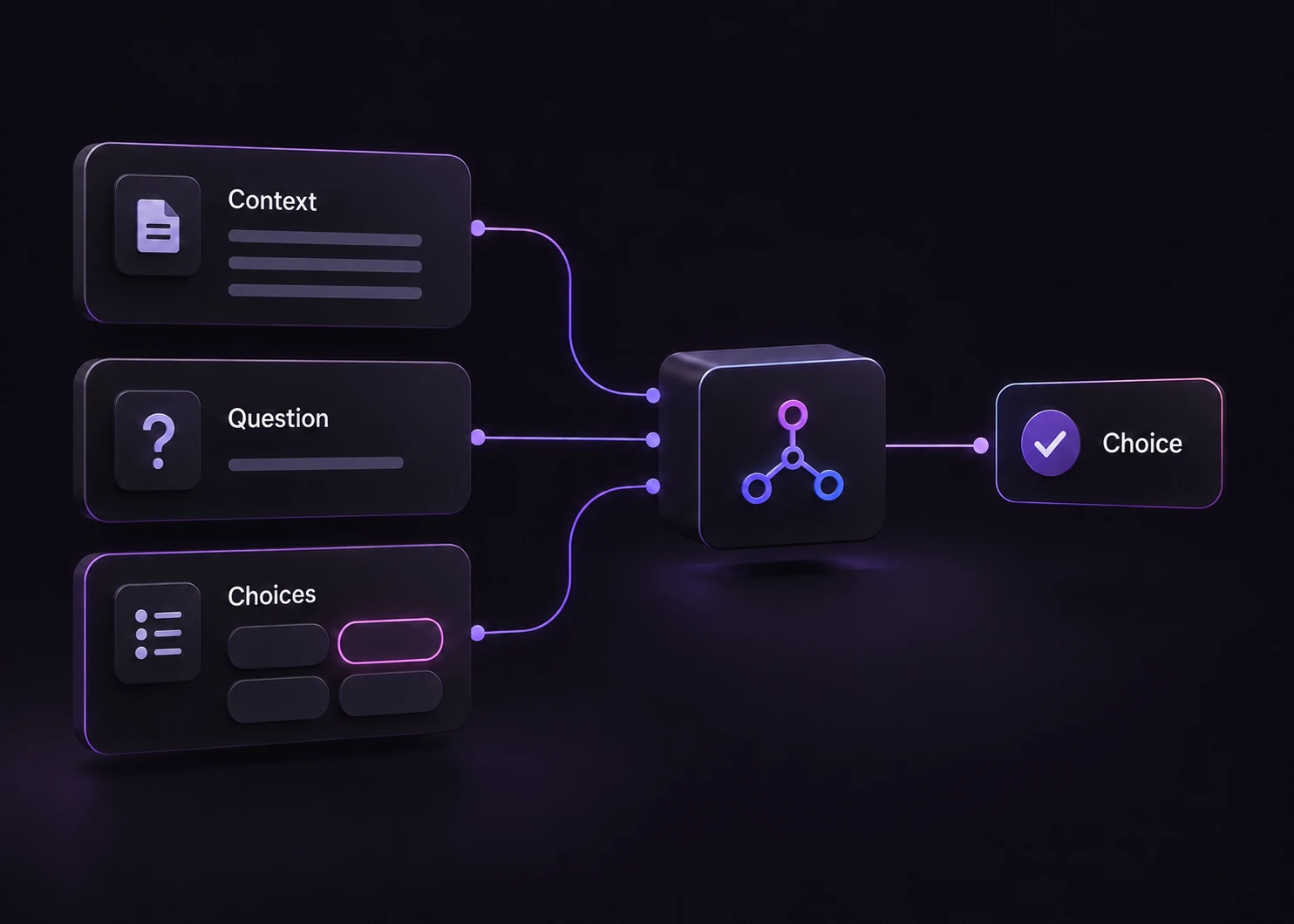
A tool name is often too little context. Two presentation skills might both mention slides, while only one preserves an existing deck. Supply the current user goal, a short description of each available skill and the relevant application state. Ask one selection question over those allowed choices.
The Choice result identifies a label from your catalog. It does not fill in tool arguments, acquire permissions or prove that an action completed. Map stable labels to your own handlers, validate their arguments and recheck access against current state. Keep credentials and executable commands outside model-supplied text.
For a browser task, pass the text of the controls actually available at the current step. Jev is selecting from that description; this Playground neither observes a live page nor clicks it. For an agent that already has tool output, context selection can identify which original evidence block to retain without rewriting the evidence.
Use model routing when the decision is which model tier should handle a task. Use tool selection when the decision is which concrete capability or control fits the next step. The Jev model profile explains the common input and output contract.
These are original scenario designs, not recorded model outputs. The final column belongs to application policy even when a selection appears obvious.
| Situation | What to describe | Before execution |
|---|---|---|
| Edit an existing deck | Describe the difference between creating slides and changing headings while preserving the existing deck. | Check the selected skill can edit the supplied file; validate the target file and allowed changes. |
| Find a purchase receipt | Provide the visible receipt, payment-settings and plan controls. Ask for the next control under the stated goal. | Confirm the control is still present and belongs to the signed-in account before a browser action. |
| No available skill fits | Ask for a calendar booking when the catalog only contains presentation and image skills; include No matching skill. | Return a clarification or route to a person. Do not substitute a vaguely related skill or invent a new tool. |
| A useful action needs approval | A data-export tool matches the goal, but the account or requested dataset has not been authorized. | Hold the operation for permission checks or human approval, regardless of the selected label or score. |
Start with recommendations you can inspect. Connect a real handler only after the route and the execution checks are evaluated.
Use stable labels and distinct descriptions. Include only the tools available for this task and an explicit no-match choice.
Supply the user goal and necessary state. Treat quoted messages and tool output as data, not instructions that redefine your selection policy.
Validate the response and allowed label. Send no-match, ambiguous cases and provider failures to clarification or review. Evaluate any confidence threshold on your own tasks.
Verify authorization and arguments, then invoke the selected handler. Measure the completed task, including retries and review, rather than counting a label as success.
Each card opens an existing editable Playground input. Results appear only after you send a request; selection does not run a tool.
Start with changing the font in an existing investor deck. Replace the goal with creating a new presentation or work outside the catalog.
Try skill selectionUse the receipt-download goal and the supplied account controls. Change the goal or remove the relevant control to explore no-match behavior.
Try browser selectionSelect evidence for a sign-out bug from three supplied log blocks. Change which block contains relevant evidence and inspect the new decision.
Try context selectionIn the editable skill example, keep the full descriptions when testing similar names. The official skill-suggestion cookbook uses a larger catalog and a separate verification step; this is a simpler single-Choice exercise.
Pick the best tool and complete everything. This mixes selection with execution and gives no catalog or way to say that nothing fits.
Given the goal and the descriptions of the available skills, select the one skill that fits the requested operation. Choose No matching skill if none fits. Selection only: do not execute a skill or invent arguments.
The valid options and their responsibilities are available before the request.
You have representative tasks, no-match cases and a person or queue for unresolved requests.
Application code can check permissions, arguments and current state before a side effect.
A label choice does not invent new capabilities or generate a complete action plan.
This example uses supplied text descriptions; a separate integration must observe and interact with the interface.
Confidence cannot establish authorization or make an unapproved action safe.
No. The Playground sends a classification request and displays the response. A real application must map the returned label to an allowed handler, validate the arguments and check permissions before execution.
Describe what each skill changes, its required inputs and what it preserves. Evaluate tasks that differ in one relevant detail, such as creating a new deck versus editing an existing one. Revisit unclear descriptions instead of treating confidence as proof of a correct selection.
Include a no-match option in the selection contract. Your application can request clarification, offer a different workflow or send the task to review. A missing option must not become permission to invent a tool.
The browser example on this site uses text descriptions of visible controls. It does not accept a screenshot as a visual browser observation. Another component must extract the relevant interface state and keep it current.
No. Choose an execution threshold by testing representative data and the consequences of each action. A score alone does not establish that a selection is correct or authorized; permission checks remain part of the application.
Include similar tools, unrelated requests, missing context and restricted actions. Record the expected selection, review decision, resolved model and downstream task outcome. Measure the complete workflow before claiming time or cost savings.
 Use case
Give simple requests a fast path. Give harder ones room to reason.
Explore Use case
Define support queues, review ambiguous messages, and keep actions behind your policy.
Explore support classificationExamplesTry a finite decision or classify a small batch, using inputs you can change.
Browse examplesOpen a real editable input, change the goal or available options, and inspect the selection before connecting an executor.