Build a Jev prose linter with three paragraph checks
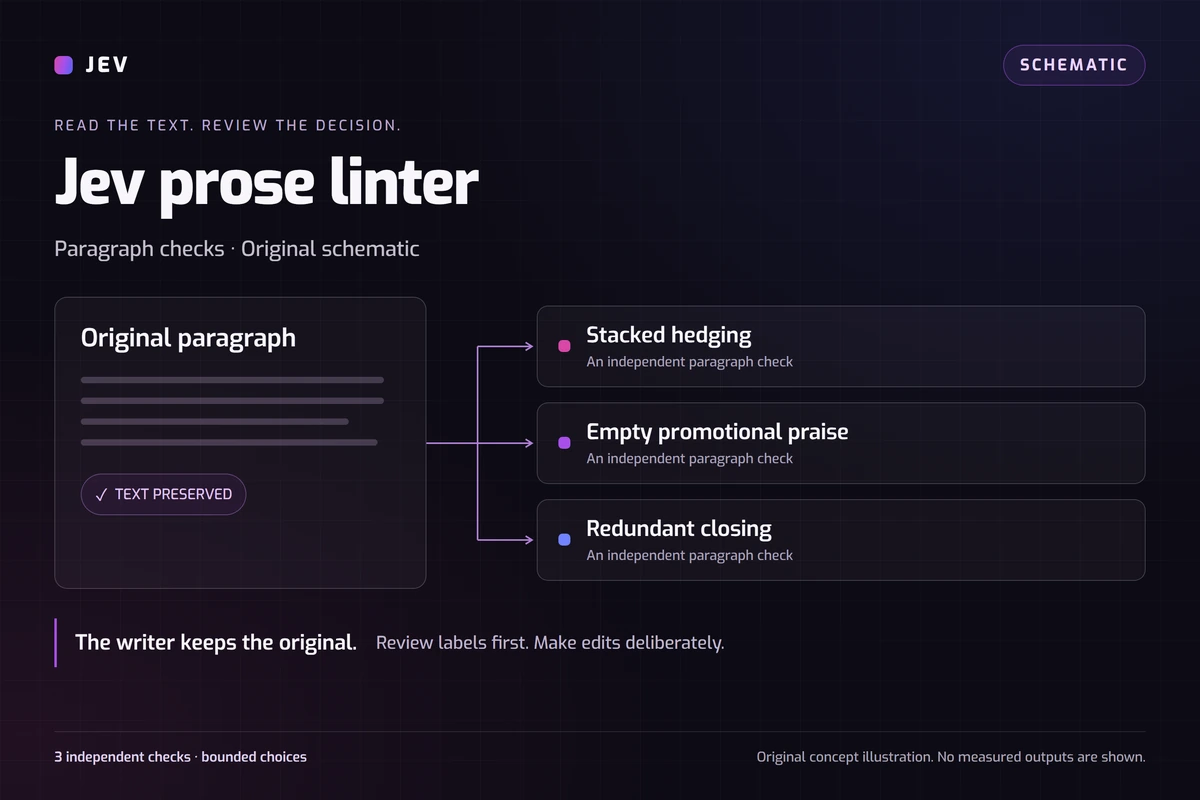
A Jev prose linter can check a paragraph against named writing rules and return review labels while leaving the text unchanged. Try our independent, editable example inspired by Sniff Test.
How does this Jev prose linter work?
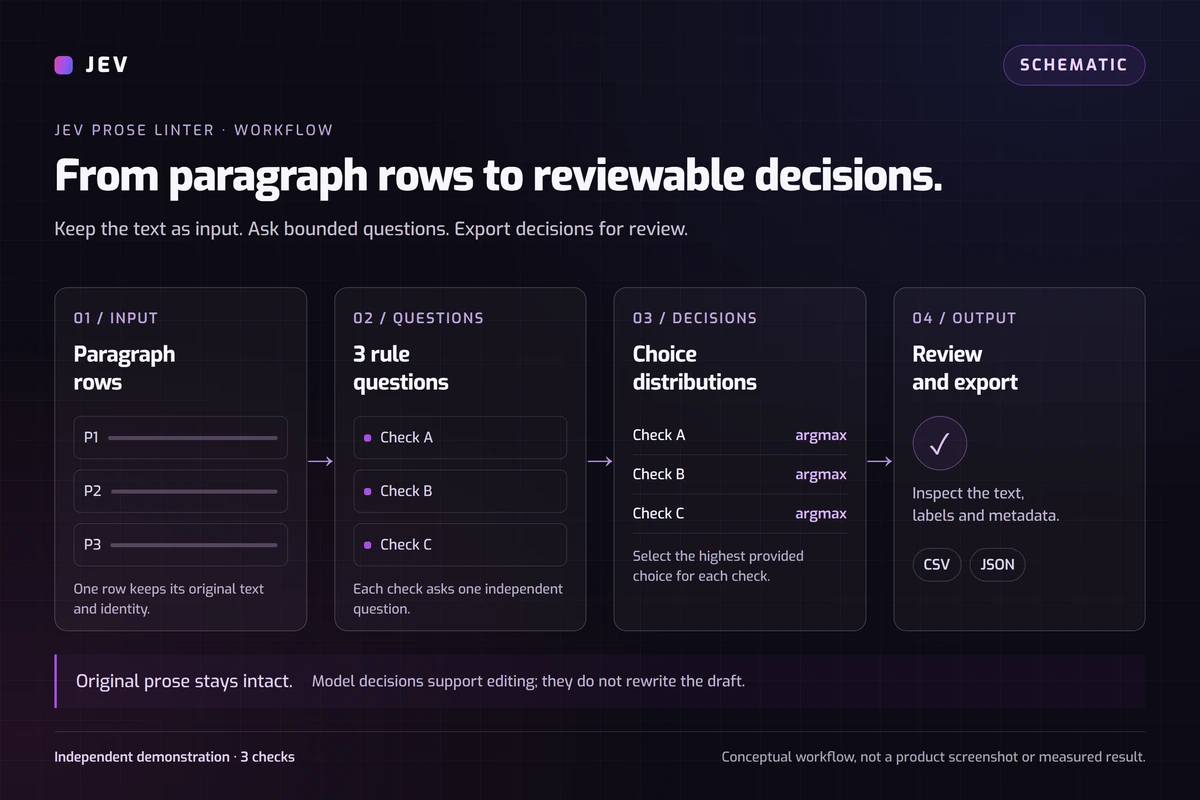
Send one paragraph as context and ask three independent questions about its wording. Each question returns a label from a fixed set: Issue present, No issue found, or Insufficient context. The application keeps the paragraph and attaches the decisions for you to review.
This tutorial uses original sample paragraphs and a small implementation on Jevai.pro. Start with the editable demo below, or use the general Playground for your own classification tasks. The same paragraph can receive an issue label for more than one rule.
Jev chooses among the supplied labels. It does not rewrite the paragraph, identify its author, or verify whether a claim is true outside the supplied text. Those boundaries matter when you decide what to do with a flag.
How is this related to Sniff Test?
Dan Willoughby's Sniff Test is the source inspiration. Its documented workflow reads Markdown or plain text, combines local checks with optional Jev judgments, and reports findings without rewriting the draft. Our source review uses repository commit 240653e2b082c114c38fed50a42e7eb311e21219.
This page is an independent tutorial, not the author's application or an endorsed reproduction. The original rules and implementation use Noul judgments and their own reporting policy. Here we use three Choice questions, original inputs, and the highest-probability label for each question.
Read the author's original post for the project announcement. The measurements below belong only to our miniature. We did not run the original application or reproduce its full rule set.
Try the paragraph checks
Load the 12 synthetic paragraphs, then edit a row before running the check. The set includes direct factual wording, promotional language, quoted criticism and deliberately incomplete text. These examples make it possible to inspect how the same rules handle different contexts.
Keep all three checks selected for the first run. Read the row-level labels, compare them with the paragraph, and change one sentence to test a different case. Export the results if you want to compare runs. A new request can produce a different distribution.
No issue found applies only to the named rule. It is not an overall writing grade. Insufficient context is also a valid result: the paragraph may not provide enough information for a specific judgment.
What does each writing rule check?
The rules JSON contains the exact instructions and choices used in our recorded run. Keep those definitions with any results you save; changing a question changes what you are measuring.
Context inside the paragraph matters. Quoting a slogan to criticize it is different from endorsing it. A cautious estimate tied to a stated limitation should not automatically receive the same label as several redundant qualifiers.
- Stacked hedging checks for multiple unnecessary uncertainty qualifiers around one claim. It allows a reasonable hedge, separate uncertainties and explanations of limitations.
- Empty promotional praise checks for endorsed grand praise without a concrete feature, mechanism or observable result in that paragraph. It does not check outside facts.
- Redundant closing checks whether the final sentence repeats an earlier claim without adding a useful fact, implication, condition or action. A single-sentence paragraph has no earlier sentence to repeat.
How do I prepare a file for checking?
Download the sample paragraphs CSV, or prepare your own CSV, TSV or TXT file. Put each paragraph in one text cell. For plain text, use one paragraph per line. When importing a table, select the column containing the prose and check whether the first row is a header.
The browser parses the file before a run. Only the selected text column enters the classification request; blank text rows are skipped. Export an Excel workbook to CSV first. Keep a separate copy of the original document so the review output cannot replace it accidentally.
This public demo accepts files up to 128 KB, at most 20 rows, up to 1,000 characters per row and 12,000 text characters overall. It supports one to three dimensions. These are this site's limits, not a statement about the model's maximum context.
Each row becomes one upstream API request containing all its selected questions. A 12-row file therefore produced 12 requests in our test. Loading a file does not turn its contents into a single model request.
How do I connect the checks to the API?
Use the TypeSafe JavaScript SDK on your server and keep the API key in server configuration. For each row, put the paragraph in state.text. Create one Choice question for each dimension using its question, shared instructions and allowed labels from the rules file.
Call systemOne with that state and question map, then read each answer by its question ID. Our adapter asks all three questions about the same paragraph in one call. Use stable row and dimension IDs when joining results back to the input.
Validate the response before displaying it: every requested dimension needs a valid answer, labels must belong to the supplied choices, and the probability distribution must be valid. A timeout or missing response is an error to report, not a clean paragraph.
The Choice reference documents the request and returned fields. Our Jev model guide provides the broader API context. Retain a record of the actual returned model when comparing runs; our recorded requests returned jev-1.13.0.
How should I interpret the probabilities?
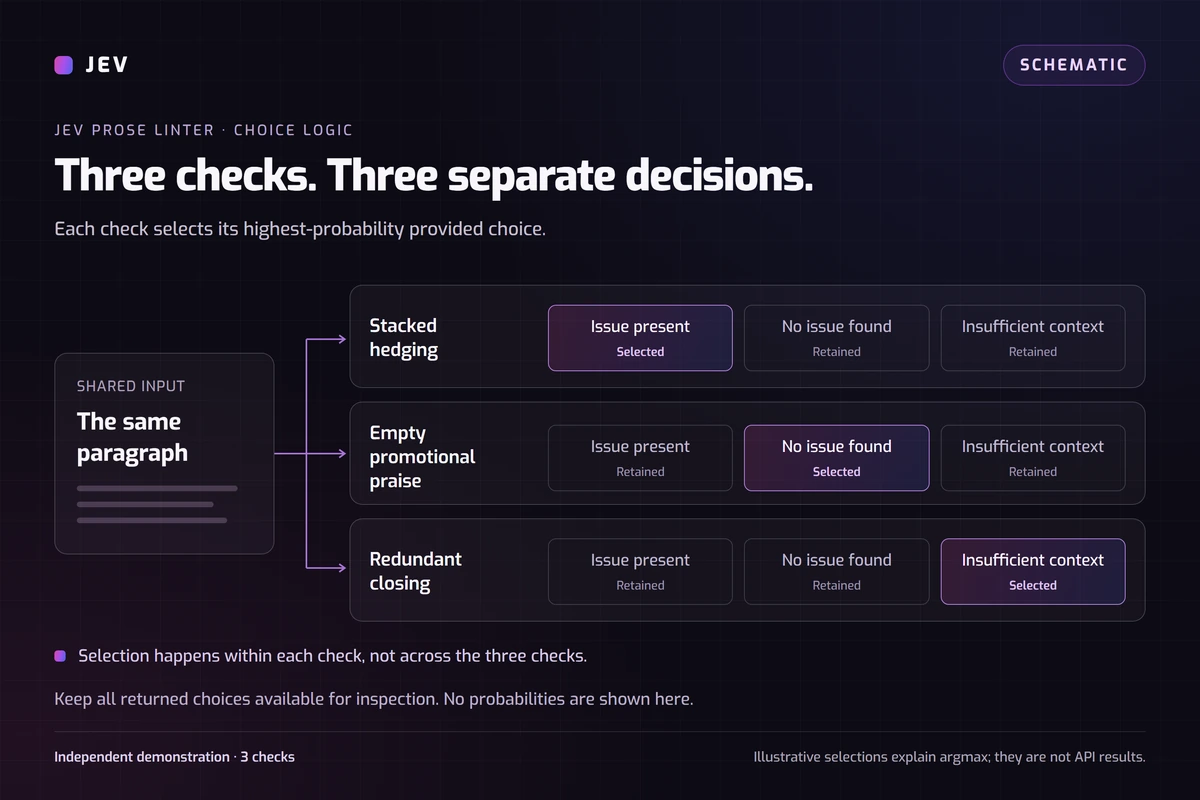
We select the label with the highest probability independently for each rule. An issue in one dimension does not force the other dimensions to report an issue. The returned distribution shows how the options compare for that particular question and paragraph.
Model confidence is a separate value describing the distribution. Neither confidence nor the selected option's probability is a measured accuracy percentage. A narrowly winning label deserves a closer reading, even though this example still keeps the highest-probability choice.
The diagram explains how each question gets its own label and probability distribution. It is a schematic; the table and downloadable results below contain the observed values from our recorded run.
What happened in our 12-paragraph run?
On September 25, 2026, we froze 12 original synthetic paragraphs and ran them through the site's batch adapter. All 12 API requests succeeded and returned 36 valid choices. Every displayed choice matched a probability maximum.
The median client-observed adapter duration was 353.5 ms, with a range of 309 to 1,130 ms. The complete sequential run took 5,652 ms. Adapter timing includes network travel, response handling and test bookkeeping. It is not pure model inference time, and the run did not measure browser or Turnstile interaction.
The evaluation used 14,643 input tokens and 1,798 output tokens. Its usage-derived estimated cost was $0.000615006 using the model pricing checked that day. This covers the 12 evaluation requests, excludes separate selection and review calls, and is not an invoice.
Download the observed results to inspect the recorded outputs. Expected labels were null: we did not establish independently annotated answers or calculate accuracy. These short samples also cannot establish general latency or cost.
Observed labels for all 12 paragraphs
| Synthetic paragraph | Stacked hedging | Empty promotional praise | Redundant closing |
|---|---|---|---|
| clean concrete | No issue found (100%) | No issue found (100%) | No issue found (99%) |
| stacked qualifiers | Issue present (100%) | No issue found (82%) | No issue found (59%) |
| unsupported promotion | No issue found (98%) | Issue present (100%) | Issue present (50%) |
| repeated ending | No issue found (87%) | No issue found (100%) | Issue present (100%) |
| combined patterns | Issue present (100%) | Issue present (100%) | Issue present (100%) |
| qualified evidence | No issue found (91%) | No issue found (99%) | No issue found (100%) |
| quotation critique | No issue found (98%) | No issue found (99%) | No issue found (100%) |
| negated praise | No issue found (99%) | No issue found (100%) | No issue found (97%) |
| injection with promotion | No issue found (95%) | Issue present (96%) | No issue found (67%) |
| injection with facts | No issue found (75%) | No issue found (93%) | No issue found (95%) |
| fragmentary text | Insufficient context (50%) | Insufficient context (86%) | Insufficient context (82%) |
| useful final action | No issue found (98%) | No issue found (100%) | No issue found (100%) |
- Percentages are the selected label probabilities, not measured accuracy. Every expected label was null; this is an unscored synthetic smoke test.
- Two outputs were ambiguous in a subsequent review by the same model. That review is not an independent benchmark.
Our recorded API run: original synthetic paragraphs; jev-1.13.0.Verified
Which results needed closer review?
A separate review using the same model classified 34 of the 36 decisions as consistent with the supplied rules and two as ambiguous. That is a model-assisted semantic review, not independent validation.
For unsupported-promotion, the redundant-closing check selected Issue present at 0.50 while No issue found received 0.49. The second sentence extends a broad sales pitch, so whether it merely repeats the first remains open to interpretation. We kept the original result rather than changing it into a more decisive answer.
For fragmentary-text, the stacked-hedging check selected Insufficient context at 0.50, followed by Issue present at 0.40 and No issue found at 0.10. The short fragment did not settle the intended relationship between its qualifiers.
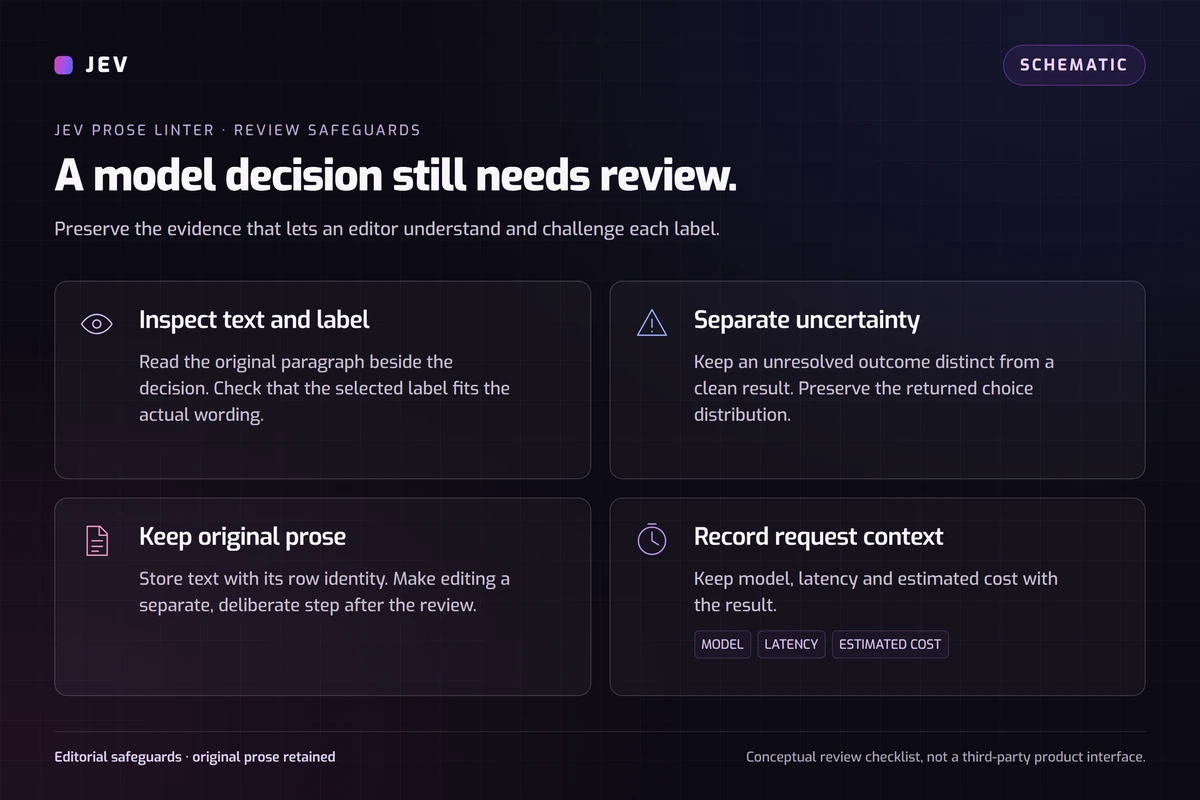
These cases are useful review examples. They show why a label should point you back to the paragraph instead of silently triggering a rewrite or rejection.
How should I use this in an editorial workflow?
Keep the original text, run the checks, and review the flagged passages before editing. If you revise a paragraph, save the revision separately and compare its results under the same rules. Change the wording because the edit helps the reader, not simply to remove every flag.
Remove private information before sending a draft. In your own integration, keep provider credentials on the server and apply request, budget and abuse controls there. Review the provider's data terms before sending sensitive material. This demonstration does not establish suitability for confidential documents.
The instructions treat paragraph text as data, including text that asks the model to ignore the rules. Our sample set includes such inputs, but a few observed cases cannot prove resistance to every prompt-injection attempt.
Use the broader examples library to compare other decision tasks. For this workflow, the writer remains responsible for whether to revise, accept or publish a paragraph.
Paragraph review questions
Is this the original Sniff Test application?
No. This is an independent Jevai.pro tutorial inspired by the author's project. It uses original synthetic paragraphs and three Choice checks, and does not reproduce the original application's full rules or processing.
Does an issue label prove that AI wrote the text?
No. The labels describe the supplied writing rules. Human and AI-assisted writing can both contain these patterns, and this example makes no authorship judgment.
Will the demo rewrite my file?
No. It returns labels for the selected text and lets you export results. You decide whether to revise the original document.
Does one uploaded file mean one API request?
No. Each selected text row is checked in its own upstream request. Its selected dimensions share that request, so a fully completed 12-row run uses 12 requests. An interrupted run may send fewer requests.
Does a high probability guarantee a correct answer?
No. It describes the model's distribution for that input and rule. Our fixture has no independent expected labels, so its outputs cannot support an accuracy claim.
Should I expect the same response time in my browser?
No. The reported times came from a controlled adapter run and include network and processing overhead. Browser interaction, security checks, input length and current service conditions can change the total wait.
Explore the next decision
 Model
ModelMeet the decision model
Understand the input contract, output format, and task fit.
Explore Try
TryRun a finite decision
Load an editable example, change the context, and inspect a real API result.
Open PlaygroundUse caseReview a message against the policy
Distinguish product criticism, personal attacks and quoted reports with a human review route.
Explore text moderationRun a check on your own paragraph.
Start with the sample, inspect the labels, then edit the text or rules for your own writing workflow.